


General Description
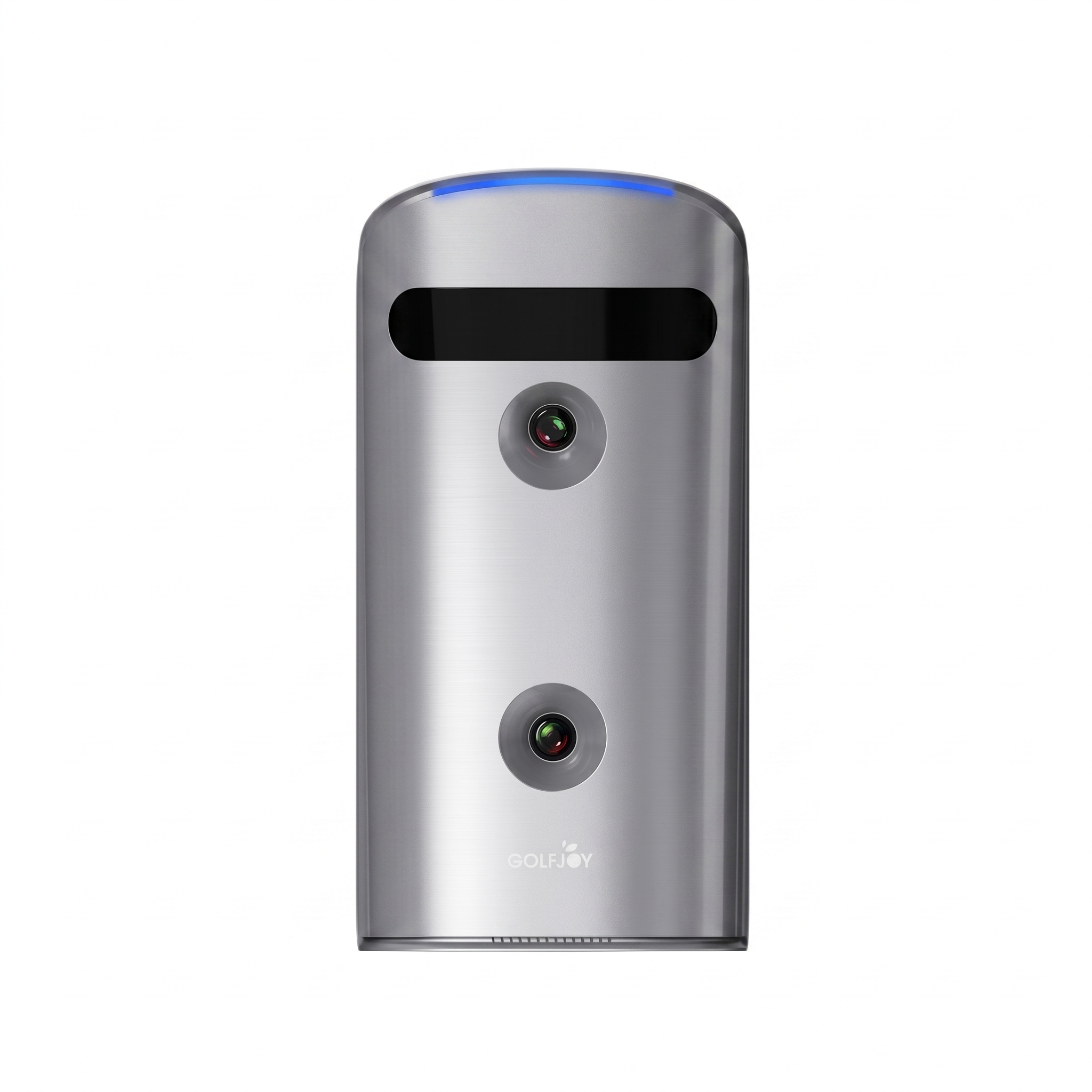
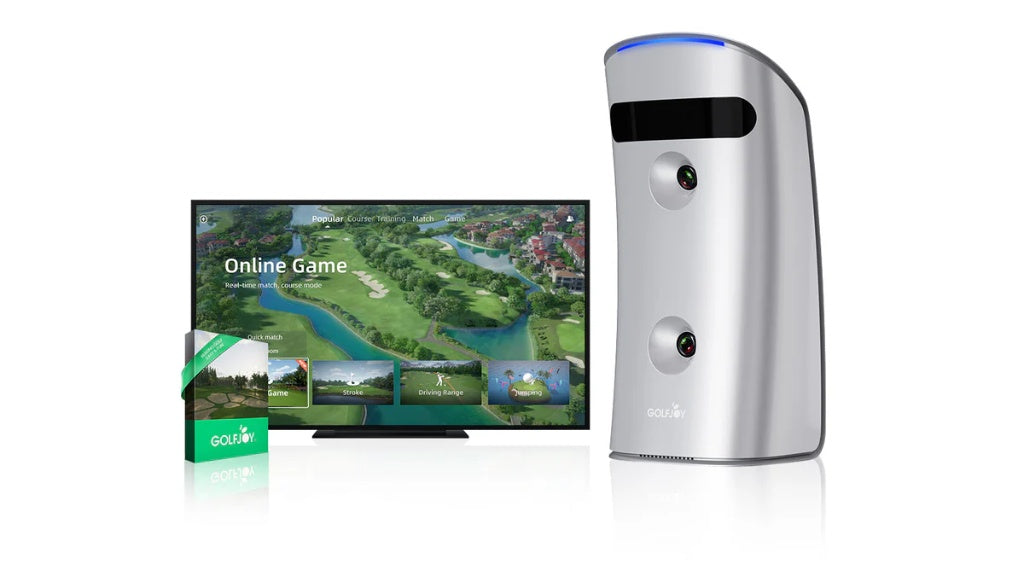
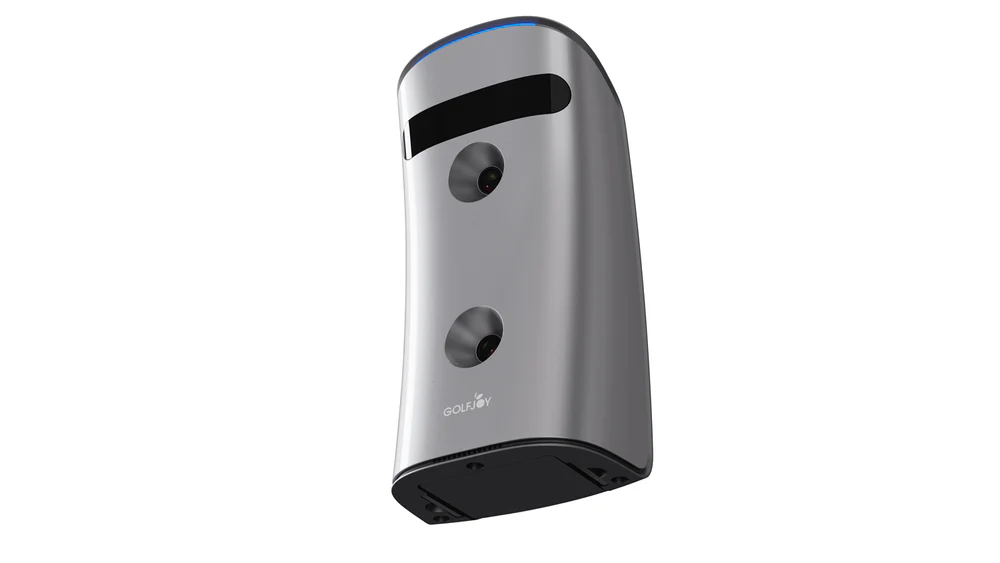
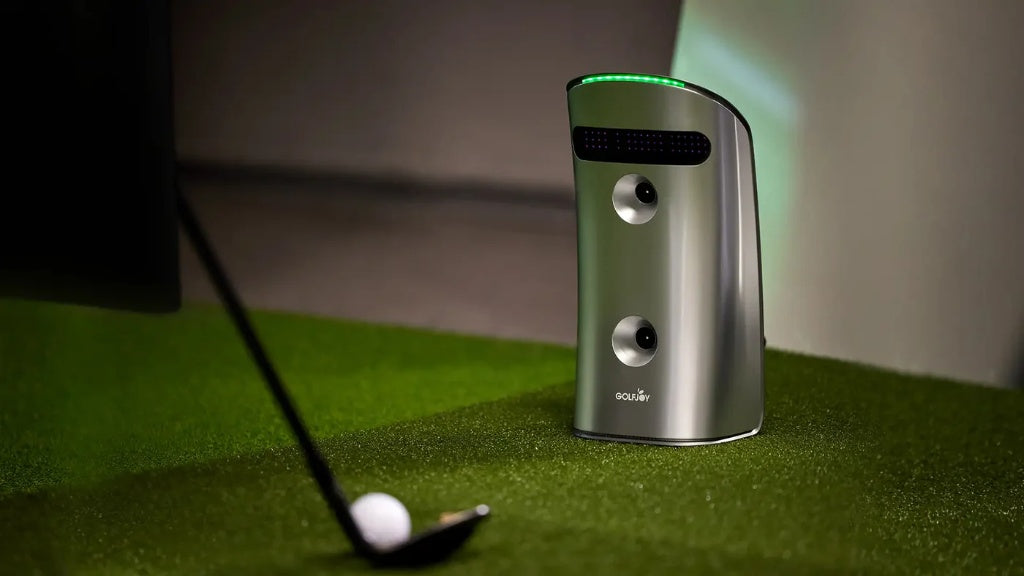
The GDS Pro is an entry-level, portable launch monitor designed for simple, accurate swing and ball tracking - ideal for golfers starting their indoor or outdoor training journey. It solves the primary frustration of modern practice: the lack of reliable data when moving between home and the grass range. By combining the stability of a high-end indoor simulator with the rugged portability required for outdoor use, the GDS Pro ensures your practice remains consistent regardless of your environment.
Specifications & Essential Features
✅ Dual Ultra High-Speed Cameras
✅ 27 Data points for Ball and Club
✅ Precise both Indoors and Outdoors
✅ Compatible with Multi Softwares : GOLFJOY, E6, GSPro,Creative Golf
✅ Compatible with APP: GOLFJOY PRO APP
✅ GOLFJOY SOFTWARE (Includes a 3 Month Free Trial)

Core Features: Why It’s a Game Changer
-
Dual Ultra High-Speed Cameras: While others use radar that can struggle indoors, the GDS Pro uses high-speed vision to capture the moment of truth (impact) with surgical precision.
-
AI-Driven Precision: Real-time, instant feedback powered by advanced algorithms that translate raw images into professional-grade data.
-
Witness the Transformation of Your Game. Swing Replay: Record high-frame-rate video of your clubhead at impact. See exactly where you’re striking the ball to bridge the gap between sensation and reality.
Product Properties
-
Dimensions: 5.75" x 4.02" x 11.46".
-
Weight: 1.50 kg (3.31 lbs).
-
Versatility: Optimized for both indoor simulator rooms and outdoor practice bays.
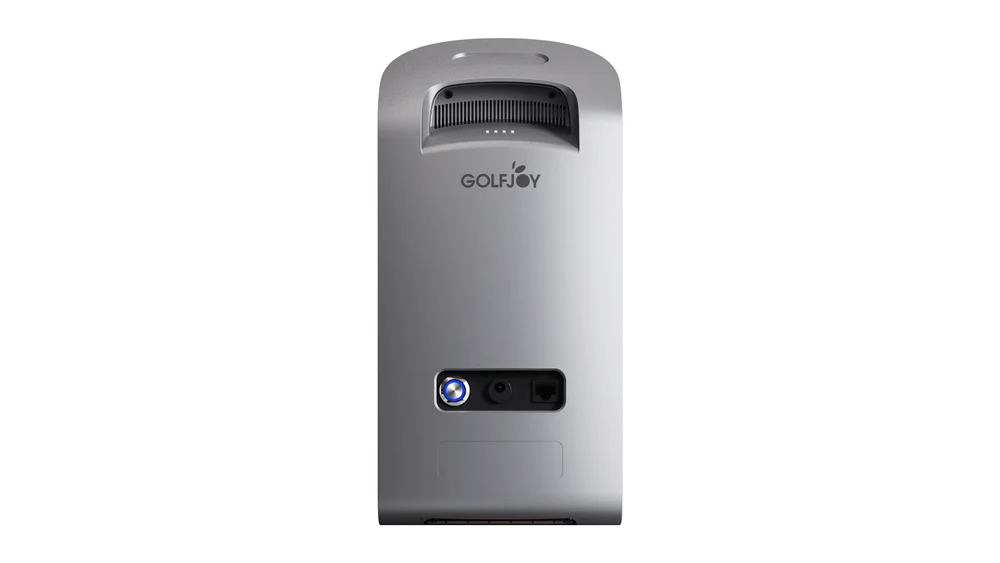
- Battery Life: 4 - 5 Hours.
The Full Package: What’s Included
-
GDS PRO Launch Monitor: The core dual-camera tracking unit.
-
3-Month GOLFJOY Software Trial: Includes a free 3-month trial of the professional simulation software.
-
Protective Case: Heavy-duty case for safe storage and travel.
-
Power Adapter: For charging the unit or continuous indoor use.
-
Network Cable: Ensures a stable high-speed connection to your PC.
-
Clubhead Stickers: Applied to the clubface for high-precision club metrics.
-
Rubber Tee: Included for immediate setup and play.
Data Metrics & Software Compatibility
The GDS Pro provides a comprehensive suite of data points to ensure every aspect of your shot is analyzed with professional precision.
| Category | Included Metrics |
| Club Data | Club Path, Club Speed, Smash Factor, and Attack Angle. |
| Ball Data | Ball Speed, Launch Angle, Launch Direction, Back Spin, Side Spin, Spin Rate, and Spin Axis. |
| Trajectory Data | Carry, Total Distance, Apex, Hang Time, Landing Angle, and Deviation. |
| Software Support |
PC: GOLFJOY, GSPro, E6 Connect, Creative Golf Mobile: GOLFJOY PRO APP |
Setup Requirements & Considerations
-
Indoor Space: Minimum 2 yards (6 ft) from ball to screen/net.
-
Ceiling Height: Optimized for 9–10.2 feet.
-
Ball Compatibility: Use any standard golf ball; no special markings required.
-
Club Metrics: Stickers are required for advanced data like Club Path and Attack Angle.
-
Sticker Placement: Apply stickers 0.5–1.0 cm from the clubface edge.

What’s Not Included
-
Third-Party Licenses: Permanent access to GSPro, E6, or Creative Golf must be purchased separately from the software providers.
-
Hardware: A compatible PC (for simulators) or a tablet/smartphone (for the app) is required to run the tracking software.
-
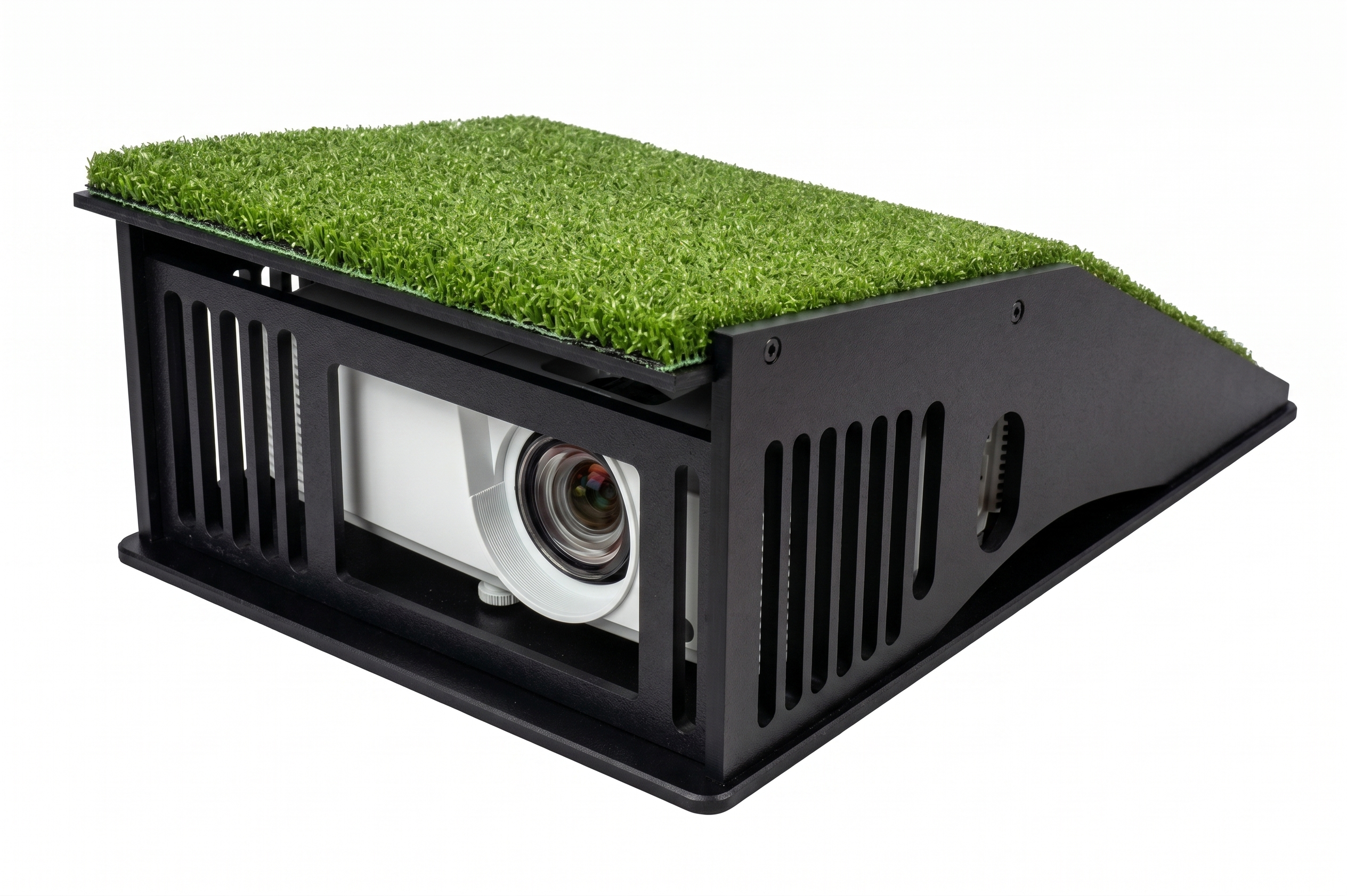
Display: You will need a monitor, TV, or projector to view your data and courses.
-
Hitting Bay: A high-quality golf mat and a safety net or impact screen are essential for indoor use.
-
Post-Trial Software: Continued access to premium GOLFJOY features may require a subscription after your 3-month free trial expires.
-
Equipment: Standard golf clubs and balls (marked or pure white).
GolfJoy Portable Camera-Based Launch Monitors Comparation Table.
| Feature | GDS PRO | SPICA 3 |
| Physical Specs | ||
| Net Weight | 3.3 lbs | 6.6 lbs |
| Dimensions (in) | 5.7 x 11.5 | 6.4 x 13.4 |
| Battery Type | Removable | Integrated |
| Battery Life | 4 - 5 Hours | 6.5 - 7.5 Hours |
| Performance | ||
| Cameras | 2 | 3 |
| Data Metrics | 27 Points | 27 Points |
| Detection Latency | 0.35 s | 0.3 s |
| Hitting Zone | 7.5H x 6.7W in | 9.8H x 9.8W in |
| Connectivity & Features | ||
| Touch-screen | ✕ | ✔ |
| Connection | Bluetooth + Ethernet | Wi-Fi + Ethernet + Bluetooth |
| Gyroscope | ✔ | ✔ |
| GPS | — | ✔ |
| NFC | — | ✔ |
| Software Support | ||
| App Support | GOLFJOY Pro / Space | GOLFJOY Pro / Space |
| PC Software | GOLFJOY / GSPro / E6 / Creative Golf | GOLFJOY / GSPro / E6 / Creative Golf |
Key Differences at a Glance
-
Portability: GDS PRO is half the weight with a removable battery.
-
Performance: SPICA 3 has 3 cameras, lower latency, and a larger hitting zone.
-
Technology: SPICA 3 adds a touch-screen, GPS, NFC, and Wi-Fi.
Finish Your Setup
Frecuently bought together

GolfJoy Portable Launch Monitors Further Informaton
It depends on where you are. Orders processed within the US continent states will take 3-7 business days to arrive.
Adult delivery signature is required.
How much Data does the Spica 3 Capture?
The portable launch monitors, including Spica 3 and GDS Pro, each provide 27 essential data points.
Equipped with high-performance chips and the latest AI algorithms, the GOLFJOY Spica 3 and GDS pro launch monitors provides real-time analysis and outputs 27 critical golf data points, including club head speed, ball speed, spin rate, launch angle, and impact efficiency.
Does the GOLFJOY launch monitor supports left-handed players?
The GOLFJOY launch monitors offers unmatched accuracy and supports both left- and right-handed players without manual ball positioning.
Are there any hidden or additional fees when purchasing a GOLFJOY launch monitor?
No. There are no hidden or additional fees when purchasing a GOLFJOY launch monitor.
All GOLFJOY launch monitors can be used directly with the Space App to access essential performance data, with no mandatory subscription required for basic data viewing.
How accurate is the GOLFJOY launch monitor compared to leading simulators on the market?
GOLFJOY launch monitors deliver accuracy that is closely aligned with top-tier launch monitors currently on the market.
Before release, each GOLFJOY launch monitor undergoes extensive testing and validation across multiple environments.
As a result, measurement accuracy is maintained within a 1% margin of error under proper setup conditions.
In terms of data accuracy, GOLFJOY performs on par with leading simulators, while offering a more competitive price point, making it a strong option for training, coaching, and simulator facilities.
What tracking technology does GOLFJOY use - radar or high-speed cameras?
All GOLFJOY launch monitors use high-speed camera–based tracking technology.
Compared to radar systems, high-speed cameras offer greater accuracy in indoor environments, as they do not require long ball flight distances and are less affected by limited space or signal interference. This allows for more reliable data capture in simulator rooms and practice studios.
For outdoor use, GOLFJOY portable launch monitors include a dedicated outdoor mode designed to optimize data capture and minimize measurement errors under varying environmental conditions.
What Golf Simulation Software Programs are Compatible with GOLFJOY launch monitors?
GOLFJOY’s launch monitors compatible with E6, GS PRO, GOLFJOY software.
How big are the sensing areas of GOLFJOY's Launch Monitors?
The sensing area of GOLFJOY's launch monitors are approximately 9.84" x 9.84" (25 cm x 25 cm).
Square Inches: 96.04 sq in
Square Centimeters: 619.61 cm2
Space Requirements.
- Ceiling Height: Your practice space should have a ceiling height between 9.2 and 10.2 feet to allow for a safe, unrestricted swing.
- Distance to Screen: A minimum of 2 yards (6 feet) is required between the hitting position and the impact screen or net
- Placement: Position the monitor 15.75" (40 cm) away from the center of the hitting zone.
- Hitting Zone: The Spica 3 tracks shots within a generous 9.84" x 9.84" (25 cm x 25 cm) area whereas GSD Pro has a hitting area of 7.5" x 6.7" (19.05 cm x 17.02 cm).
Computer Requirements
To run simulation software like GOLFJOY, GSPro, or E6 Connect effectively, your PC should meet the following general specifications:
- Operating System: Windows 10 or Windows 11 (64-bit).
- Connectivity: The computer must have an available Ethernet port for the direct sensor connection.
- Internet Access: If your PC has only one network port, a Wi-Fi device is required so you can maintain an internet connection while the Ethernet port is occupied by the GDS Pro.
- Graphics & Processing: While specific specs vary by software (e.g., GSPro requires higher GPU power for 4K), a dedicated graphics card (NVIDIA RTX 3060 or better) is generally recommended for smooth performance in modern golf simulators.
Pro Tip:
Lens Maintenance: If your spin data looks off (e.g., "3500 rpm Backspin / 0 rpm Sidespin"), clean your lenses immediately with the included kit.
Stay Updated: Do not leave the device offline for more than 30 days to ensure firmware remains functional.
Do I need a paid subscription just to use my launch monitor?
Not at all. You have full access to your hardware right out of the box. The GOLFJOY Space App is available for your tablet or mobile device at no cost. This allows you to view all your ball and club data and use the practice driving range whenever you like, with no ongoing fees required to access your swing metrics.
How do I access virtual golf courses?
When you’re ready to play full rounds on world-class courses, you have the flexibility to choose the software experience that fits you best. GOLFJOY offers its own high-definition software, and the system is also fully compatible with industry-leading platforms like GSPro, E6 Connect, and Creative Golf 3D.
Is there a "Pay Once and Own It" option for courses?
Yes! If you prefer to avoid recurring payments, you can choose a "Lifetime" or "Perpetual" License through our third-party software partners like TGC 2019 or Creative Golf 3D. This allows you to make a single purchase and enjoy a massive library of courses for the life of the software without ever worrying about a renewal.
What are the benefits of the GOLFJOY Software subscriptions?
Our official GOLFJOY software is designed for those who want the most seamless, integrated experience possible.
- The Professional Plan: Perfect for the everyday golfer, offering a curated selection of 30 popular courses and multiple fun game modes in stunning 2K resolution.
- The Diamond Plan: For the ultimate enthusiast, providing a premium library of over 160+ iconic courses and breathtaking 4K graphics for the most immersive experience available.
Can I switch between different software programs?
Absolutely. One of the best features of the Rigel 3 is its Open Compatibility. You aren't locked into one system. You can start with the free practice app today, add a course subscription later, or switch to a lifetime license whenever you choose. Your hardware is a versatile tool that grows with your golfing needs.
Will my software stay up to date?
Yes. Regardless of the plan you choose, software providers regularly release updates to improve physics, add features, and ensure your simulation experience remains top-tier.
Pro Tip for Your Setup: To get the most out of these high-definition courses, we recommend a PC with an RTX 3070 graphics card or higher. This ensures every fairway and green looks as crisp and realistic as possible!
How accurate is a GOLFJOY virtual course compared to the real thing?
The Cutting-Edge Golf Simulator Software You've Ever Experienced.With GOLFJOY’s Ultra 4K high-definition software, indoor golf has never been so close to the real thing. Powered by Unreal Engine, the world’s leading virtual reality development tool, our simulators offer stunning 3D visuals of the game’s most iconic courses.
What parameters can be adjusted within gameplay on GOLFJOY's software?
You can choose when to tee off – morning, afternoon or evening – weather conditions and even wind speed.
Can GOLFJOY's software match you with players from all over the world?
Yes, the GOLFJOY software can match you with players from all over the world for online golfing gameplay. The platform is designed to connect golfers globally, allowing you to compete against opponents from different countries and time zones.
Warranty
We offer one year full coverage warranty.
What is covered under the warranty policy?
Your Consumer Warranty guarantees replacement in the event of product defect related to materials or craftmanship.
The warranty does not cover impact or cosmetic damages, damage by misuse, improper installation or testing, attempts to modify the product, attempted service (exceptions for battery replacement), or general wear and tear over the lifetime of the device, as well as any damages caused by spills, liquids, fires, power changes or other hazards outside of normal operation or use with 3rd party peripherals.
Return Policy
You can return within 30 days. If you are not happy with your GOLFJOY launch monitor within your first 30 days, please contact us direcly at sales@turnkeyprostudios.com for a full refund.
Order cancelations
Orders can be edited or canceled only before the shipment via our contact us page, or by email at sales@turnkeyprostudios.com
Please Contact Us Directly at: sales@turnkeyprostudios.com
Call/Text us: 1-402-577-0167