
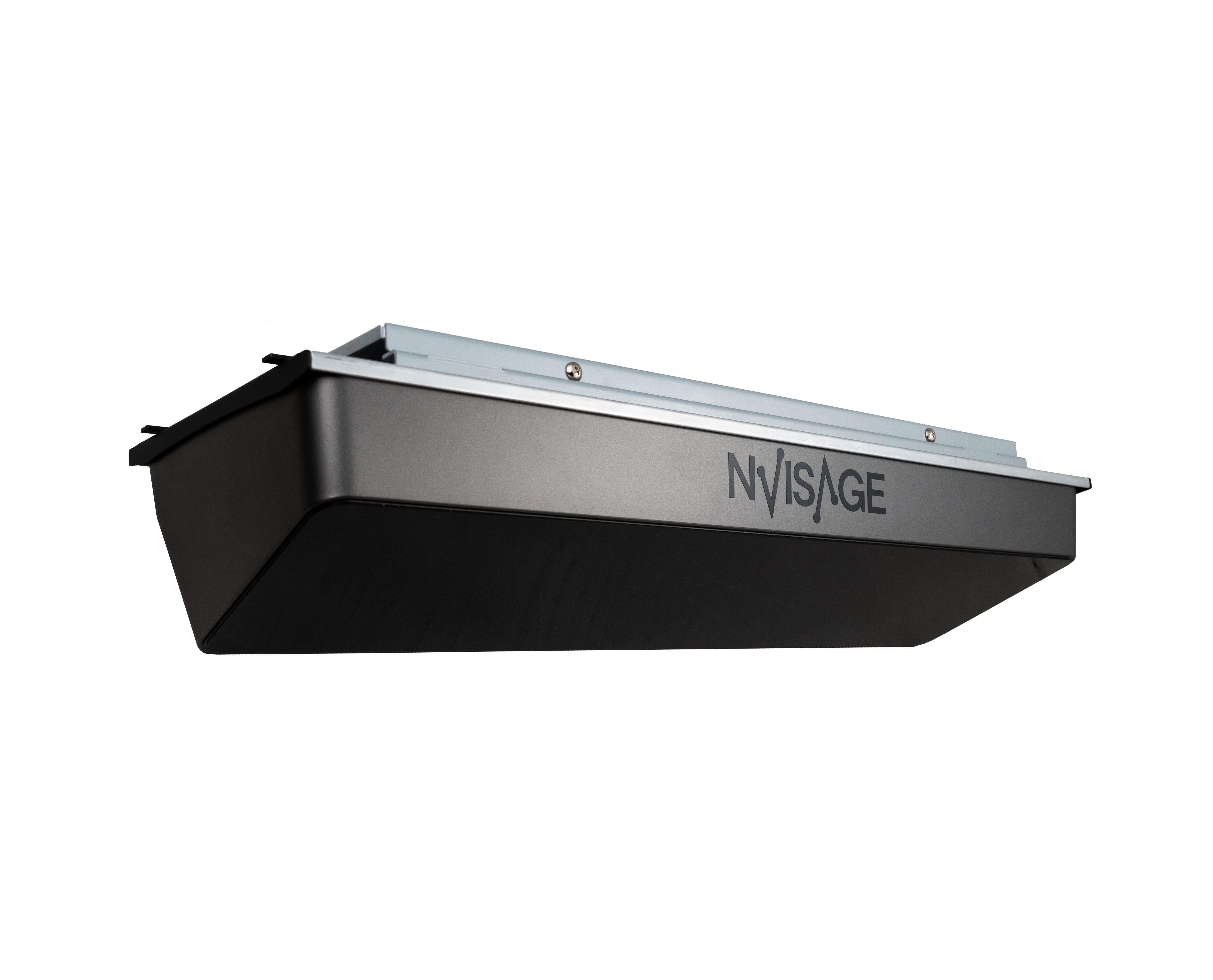

NVISAGE N1 | High-Precision, Fast-Data Overhead Launch Monitor
Transform Your Swing with Professional-Grade Analytics
The NVISAGE N1 marks a significant milestone in golf simulation technology, bringing the extraordinary indoor golf experience to your home or commercial studio at an unattainable value. Designed with a commitment to "Overhead Simplicity," the N1 eliminates the complexity of floor-based units while delivering accuracy that rivals high-end monitors costing triple the price.
Powered by a dual-camera setup and the sophisticated PhysX 6D Physics Engine, the N1 provides an immersive, lifelike representation of ball flight dynamics with instantaneous feedback. Whether you are a seasoned pro or a newcomer, the N1 is poised to become the centerpiece of your turnkey golf studio.


Key Features & Performance
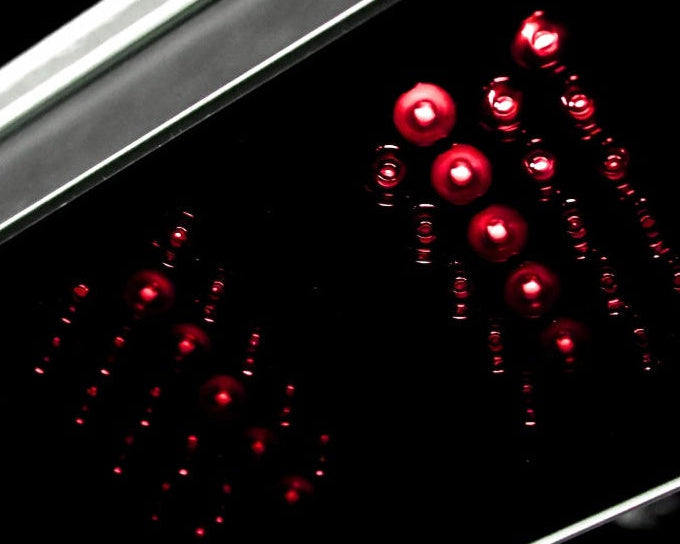
Dual 2,000 FPS Cameras: Ultra-high-speed cameras meticulously capture spin rates and ball movement from multiple perspectives.
Intelligent Analytics: Captures 8 essential data parameters, including Ball Speed, Launch Angle, Spin Axis, and Total Spin.
Zero-Delay Feedback: Data is delivered instantly after impact; the system is built to handle even the highest professional ball speeds without issue.
Large Hitting Zone: A spacious 24" x 20" hitting area allows for a natural, comfortable setup for both left and right-handed golfers.
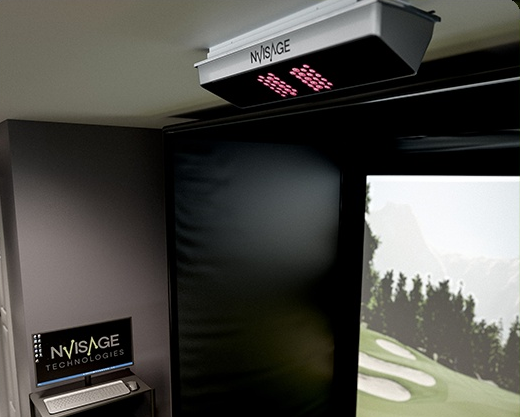
Safety & Space: Strategically mounted overhead (9–10 ft), the sensor remains completely out of range from stray shots and swinging clubs
Software & Connectivity
The N1 integrates seamlessly with the industry’s leading 3rd-party simulation software without the need for extra connectors or hidden subscription costs:
GSPro (The gold standard for simulation)
E6 Connect
Real-time PC Sync: Requires a Windows 10/11 PC with a dedicated Ethernet port for high-speed data transfer.
What’s Included in the Box
-
NVISAGE N1 Launch Monitor Sensor: The core dual-camera overhead tracking unit.
-
MURLIE Software Suite: Professional-grade integrated software with No Subscription required.
-
Precision Calibration Board: Ensures your sensor is perfectly aligned for maximum data accuracy.
-
Power Adapter and Cable: Dedicated power supply for consistent performance.
-
High-Speed Ethernet Cable: For stable, lag-free data transmission to your PC.
-
Ethernet to USB 3.0 Adapter: Ensures compatibility with any modern PC or laptop.
-
6 Heavy-Duty Mounting Screws: Industrial-grade hardware for a secure ceiling installation.
-
Installation Level Tool: To ensure the unit is perfectly balanced during setup.
-
12 Specially Marked Balls: Custom-patterned balls included to guarantee maximum precision right out of the box.
Important Information
Marked Balls Required: To achieve professional-grade accuracy, the N1 utilizes cutting-edge visual tracking. You must use the included marked balls or specially marked balls for the system to read spin and launch data correctly.
PC Requirements: This system is not compatible with Mac/iOS. It requires an Intel i5 8400 (or better) and a GeForce GTX 1060 (or higher).
Mounting: Requires a ceiling height of 9–10 feet. The unit must be mounted 2 feet in front of the hitting surf

Comparison Table: NVISAGE N1 vs. Uneekor EYE XO2
| Feature | NVISAGE N1 | UNEEKOR EYE XO2 |
| Accuracy | High-Precision | High-Precision |
| Ball Data | Included | Included |
| Club Data | Not Included | Included |
| Mounting | Overhead | Overhead |
| Cameras | 2 High-Speed Cameras | 3 High-Speed Cameras |
| Hitting Area | 24"D x 20"W | 21"D x 28"W |
| Home/Commercial | Excellent for Both | Commercial-Focused |
| Dimensions | 21.8"L x 6.9"W x 4.9"H | 36.3"L x 5.9"W x 4"H |
| Price (MSRP) | $5,500 | $14,000 |
The NVISAGE N1 offers comparable ball data accuracy to the EYE XO2 at a fraction of the cost, making it the premier choice for enthusiasts looking for a high-quality, cost-effective turnkey solution.
NVISAGE N1 Further Information
Processing: 1-2 Business Days (Quality check & packaging).
Shipping: 3-5 Business Days via UPS/FedEx.
Total Delivery: Expect your order within 4-7 Business Days.
Signature Required: For security, an adult signature is required upon delivery.
Device Specifications & Space Requirements
- Installation Type: Overhead.
- Environment: Designed for indoor use.
- Height Requirement: The unit must be installed at a height between 9.19 ft and 9.83 ft (110.24'' to 118'') from the floor to the center of the camera lens.
- Distance to Tee: The center of the hitting zone should be approximately 1.97 ft (23.62") forward from the sensor.
- Hitting Zone: Provides a tracking area of 1.33 ft x 1.67 ft (16'' x 20'').
- N1 Physical Size: 21.8" x 4.8" x 6.9".
- Weight: 11.7 lb.
PC Requirements:
Minimum requirements are determined by your course software. We recommend reviewing the recommended specs of the software you plan to use. Typical requirements are as follows:
- Intel i5 8400 (Not compatible with Apple iOS or Mac OS)
- 8 GB RAM
- GeForce GTX 1060 (AMD: 3rd gen Ryzen or higher and AMD Ryzen 3600X or higher (AMD 2700 is not compatible)
- Windows 10 (64 bit) Version 1803 or higher
- Ethernet Port Required
Physical Installation & Connectivity
- Power: Always use the provided power adapter. Connect the adapter to the power port and turn the device on using the rocker switch on the back.
- Data Connection: Connect the N1 directly to your PC using the Ethernet port.
- Ball Requirements: This system requires the use of marked balls or logo balls for accurate tracking.
Camera Calibration
To ensure accurate data, you must calibrate the unit using the included calibration board:
- Preparation: Place the calibration board on the floor perpendicular to the screen. Use a level gauge to ensure both the floor and the board are perfectly horizontal.
- Software Setup: Select the N1 sensor in the N-Bridge software and navigate to Simulator > Calibration.
- Board Selection: Choose either the Checker or Legacy button in the UI based on the specific board included with your unit.
- Alignment: Align the yellow crosshair on your screen with the center of the calibration board.
- Execution: Click the Calibration button. Once successful, the device will shut down to save the configuration.
Ready Zone Setup
You can customize where the ball is recognized by the system:
- Open the Set Ready Zone window in the calibration settings.
- Tee Zone (Red box): Double-click the streaming image to move the hitting area.
- Ready Zone (Yellow box): Double-click to move the area where the ball becomes active for the simulator.
- Click Accept to save these zones.
Crucial Precautions
- Interference: Ensure there are no reflective surfaces (mirrors/glass) or fixed objects obstructing the camera's view.
- Lighting: Avoid infrared-interfering lights or direct sunlight from nearby windows during sunrise/sunset, as these can cause malfunctions.
- Turf Conditions: Do not use in areas with long grass or significant divots.
The "No-Subscription" Advantage
The NVISAGE N1 is built on a "Software-Neutral" philosophy. Unlike most premium overhead monitors, we do not charge "Connector Fees" or "Device Subscriptions." When you buy the hardware, you own the ability to use it forever.
Included: MURLIE Professional Practice Suite
Every N1 comes with MURLIE, our native, subscription-free software. This is your "Training Command Center" and includes:
- Driving Range & 3D Flight: A high-definition virtual range to visualize every shot.
- Complete Shot Analysis: Instant feedback on Ball Speed, Club Speed, Spin Axis, Launch Angles, and more.
- Frame-by-Frame Recording: Capture and review your swing/impact in high-speed video for deep technical work.
- Specialized Putting Mode: A dedicated module for mastering your short game.
- Zero Ongoing Costs: You have lifetime access to these practice tools with $0 in monthly or annual fees.
How to Play Virtual Courses
While MURLIE is a world-class practice tool, it does not contain a course library. To play 18 holes at world-famous locations, the N1 integrates seamlessly with the industry’s top third-party simulators:
- GSPro: The most popular choice for N1 owners. Play on 450+ community-created courses with stunning 4K graphics and realistic physics.
- E6 Connect: Access over 100+ iconic world-class courses, professional leagues, and online tournaments.
- Full Freedom of Choice: You pay the software provider directly for their course library. NVISAGE never takes a cut, and we never charge you extra just to connect.
The "Pay Once" Strategy
If you want to avoid subscriptions entirely, you can pair your N1 with a "Lifetime License" from third-party partners like TGC 2019 or Creative Golf 3D. This allows you to pay a one-time fee for thousands of courses and never think about a bill again.
Software Compatibility Summary
- Included (Free Forever): MURLIE (Range, Putting, Video Analysis, Data).
- Course Play Options: GSPro, E6 Connect, TGC 2019.
- Recurring Device Fees: None.
- Hidden Connector Fees: None.
Ready to start your session? With the N1, you are investing in hardware that gives you the freedom to choose your software, rather than forcing you into a monthly bill.
Warranty & Support Claims
Authorized Reseller Notice
As your authorized reseller, Turnkey Pro Studios is your primary point of contact for all technical issues, warranty claims, or return requests. To initiate a claim, you must first contact us at sales@turnkeyprostudios/402-577-0167. We will facilitate the troubleshooting and RMA process with NVISAGE on your behalf to ensure a smooth resolution.
Manufacturer Warranty Policy
Last updated: January 2024
This manufacturer warranty (the “Warranty”) is granted by NVISAGE Technologies, LLC. (“NVISAGE”) to the end-customer purchaser (“You”) of the NVISAGE launch monitor (the “Product”).
GENERAL WARRANTY
When purchasing a new NVISAGE product, subject to the terms and conditions contained herein, You receive a 12-month warranty that during the Warranty Period, NVISAGE will, in its sole discretion, remedy defects of the Product free of charge by either: (1) repairing the Product or (2) replacing the Product.
WARRANTY PERIOD
This Warranty applies for the period of 12 months from the date the Product was first purchased by You. If You cannot provide proof of purchase, then the manufacture date as recorded by NVISAGE will be deemed to be the start of the Warranty Period.
WARRANTY LIMITATIONS
This Warranty does not cover:
- Normal wear and tear and cosmetic damages.
- Failure by improper installation, operation, cleaning, maintenance, or testing.
- Attempts to modify or service the product, including introducing 3rd party software not specified as compatible. Improper service voids this Warranty.
- Introduction of a virus or other malware caused directly or indirectly by the user.
- Damage by misuse including ball or club strikes, drops, weather exposure, accidents, disasters, power surges, or other hazards outside of NVISAGE’s control.
WARRANTY SERVICES AND PROCEDURES
Prior to authorizing a repair or replacement, NVISAGE (via your Reseller) may ask You to perform troubleshooting tasks including:
- Restoring the Product to factory default settings and installing updates.
- Running diagnostic tools and allowing remote technical support access.
- Performing other reasonable activities requested to assist in identifying problems.
RETURN AUTHORIZATION (RMA)
If troubleshooting doesn't fix the issue, the Product must be sent to an NVISAGE repair center using the Return Material Authorization (“RMA”) process.
- No returns will be accepted without an RMA number.
- NVISAGE should receive the goods within 15 days of the RMA issuance.
- NVISAGE will determine if the claim is valid at its sole discretion. If valid, the unit will be repaired or replaced with parts functionally equivalent or superior to those originally supplied.
SOFTWARE SUPPORT
This Warranty covers hardware. Technical support for preinstalled software is provided only when it concerns the proper functioning of the hardware. If the Product is repaired, all user-generated data may be permanently deleted.
RETURN OF PRODUCT
- FOR VALID CLAIMS: NVISAGE will return your Product using the agreed RMA method.
- FOR INVALID CLAIMS: You are responsible for all shipping costs. If costs remain unpaid for 90 days after notification, the item will be considered abandoned.
DISCLAIMER
The warranties provided above are solely extended to You and substitute all other warranties. THERE ARE NO IMPLIED STATUTORY WARRANTIES OF MERCHANTABILITY OR FITNESS FOR A SPECIFIC PURPOSE.
Refund Policy
- Window: Returns are accepted within 30 days of the delivery date.
- Condition: Items must be returned in original packaging with all accessories (Alignment stick, stickers, adapters, bag).
- Process: Contact Turnkey Pro Studios to receive your RMA instructions. Authorized refunds will be issued to your original payment method, minus applicable shipping or restocking fees.
Contact us directly:
sales@turnkeyprostudios.com
1-402-577-0167