

Optima Technology
Optoma WXGA Laser Projector | 3600 Lumens | 0.52 Short-Throw Precision (16:10)
Choose options
Optoma ZW350ST | Wide-Aspect Professional Laser Simulator Projector
Description
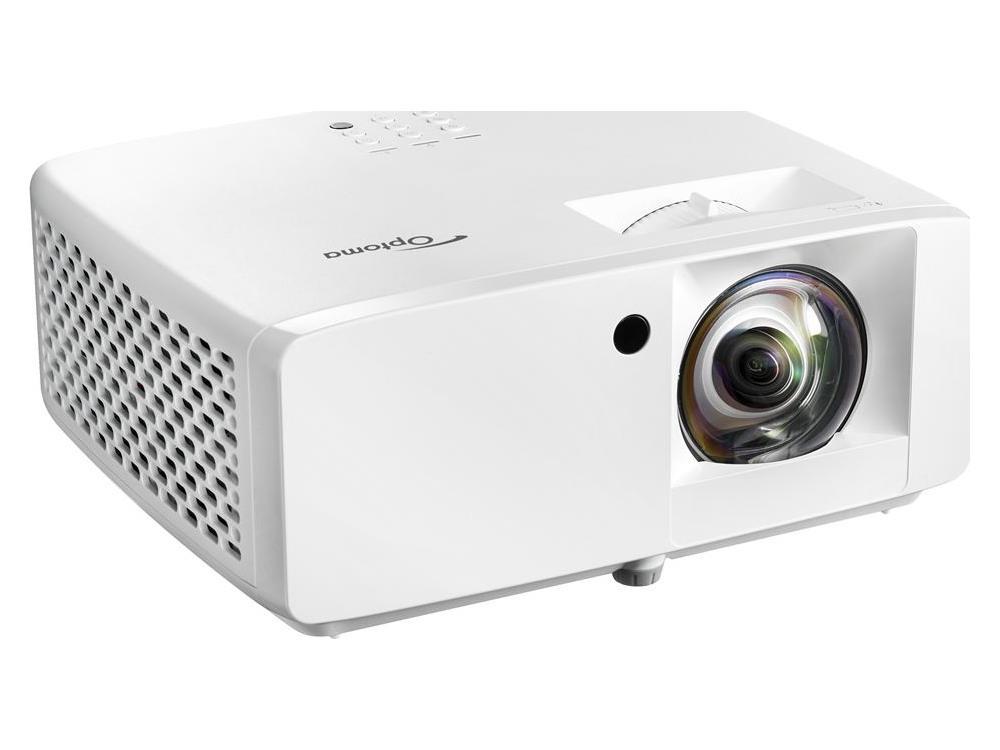
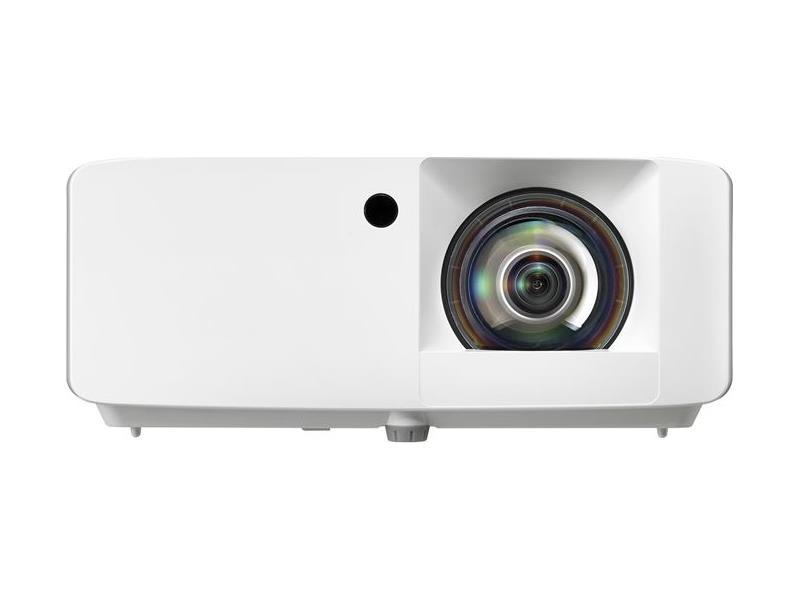
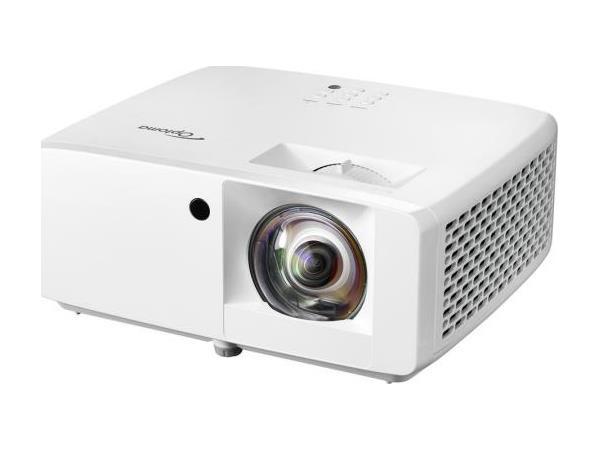
The Optoma ZW350ST is a highly efficient and compact WXGA DuraCore laser projector designed for maintenance-free, continuous operation. As one of Optoma's most compact laser units to date, it is 34% smaller than previous models and features an external power supply for enhanced reliability and energy efficiency. Delivering 3600 lumens of brightness, this short-throw projector provides a robust and powerful image, making it an excellent entry-level professional choice for dedicated golf simulator environments.
Why This Projector is Built for Golf Simulators
-
Shadow Reduction: The 0.52:1 short-throw ratio allows the projector to be mounted just feet from the screen. This ensures the golfer can stand in the hitting zone without casting a shadow on the virtual fairway.
-
Superior Aspect Ratio: The native WXGA (1280 x 800) resolution provides a 16:10 aspect ratio. This is often preferred for golf enclosures as the "taller" image fills square-shaped impact screens more effectively than standard 16:9 widescreen formats.
-
DuraCore Laser Technology: With a 30,000-hour maintenance-free life, you eliminate the need for expensive lamp replacements and ensure consistent brightness for over a decade of daily use.
-
High Contrast for Realism: A massive 300,000:1 contrast ratio ensures deep blacks and vibrant greens, adding necessary depth to simulation software like GSPro or E6 Connect.
Features & Technical Specifications
-
Model: ZW350ST
-
Brightness: 3600 ANSI Lumens
-
Native Resolution: 1280 x 800 (WXGA)
-
Display Type: DLP Projector with Laser Light Source
-
Contrast Ratio: 300,000:1
-
Throw Ratio: 0.52:1
-
Image Size: Supports up to a 300-inch diagonal
-
Keystone Correction: +/- 40 degrees Vertical
-
Audio: Integrated 1 x 15W speaker
-
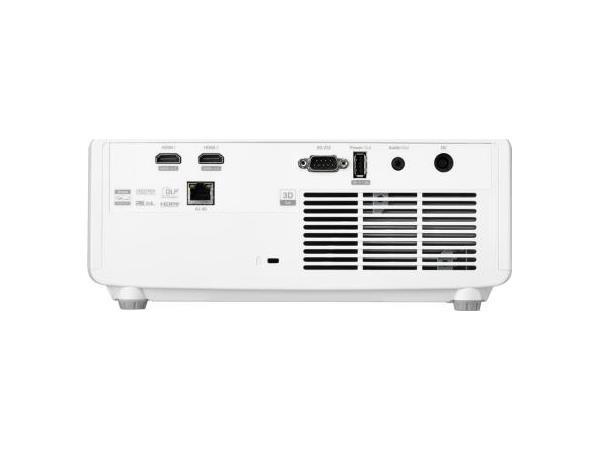
Connectivity: 2x HDMI 1.4a (3D support), Audio Out 3.5mm, USB-A power 1.5A, RS232, and RJ45
What’s Included
-
Optoma ZW350ST Laser Projector
-
External Power Supply
-
Warranty Package: 1-year limited parts and labor; 5-year or 12,000-hour light source warranty
When to Choose This Projector (The Value Play)
This unit is highly recommended for budget-conscious professional setups where durability is the priority. It is the perfect fit when:
-
The Budget is Primary: You want the benefits of a professional laser system (no bulbs, long life) without the $2,000+ price tag of 4K units.
-
Square Enclosures: Your impact screen is closer to a square shape (e.g., 10 x 10 or 12 x 10 ft), where the 16:10 WXGA format will fill the screen better than a widescreen unit.
-
Dedicated Darkened Rooms: At 3600 lumens, it performs best in rooms where you can control the lighting to ensure the colors remain punchy.
When We Recommend Upgrading (Considerations)
While excellent for many, we recommend our higher-tier units (like the ZH450ST) in the following scenarios:
-
High-End RTX Computers: If you are running a high-end PC with an RTX graphics card, the HDMI 1.4a ports on this unit will limit you to lower resolutions. You would better benefit from a "4K-Ready" unit to see the full detail of modern software.
-
Massive Screen Sizes: On screens larger than 14 feet wide, the 1280 x 800 resolution may begin to show pixelation (the "screen door effect") if you stand too close.
-
High Ambient Light: If your simulator is in a bright room with many windows, the 3600 lumens may struggle compared to our 4200+ lumen models.
"The smart, sustainable entry point for high-precision golf simulation - delivering professional laser reliability at an unbeatable value."
Optima Further Information
Processing: 3-5 Business Days (Quality check & packaging).
Shipping: 3-5 Business Days via UPS/FedEx.
Total Delivery: Expect your order within 6-10 Business Days.
Signature Required: For security, an adult signature is required upon delivery.
Free Standard Shipping
1. What is Aspect Ratio, and why does it matter?
Aspect Ratio is the relationship between the width and height of your image.
- 4:3 Ratio: Produces a more "square" image. Best for rooms with high ceilings but limited width. To find your width, multiply your screen height by 1.25.
- 16:9 Ratio: The standard "Widescreen" look (HDTV). Best for wider enclosures like the Guardian Bay™ Commercial size. To find your width, multiply height by 1.78.
- 16:10 Ratio: A professional compromise often used in high-end simulators. Multiply height by 1.60.
Pro Tip: For the sharpest image, always match your PC software settings (GSPro, Uneekor, etc.) to your projector's native resolution.
2. What is the "ViewPort"?
The ViewPort is the actual "active" white area of the screen where your image lives. Because our BlackOut™ trim and frame mounting systems consume a few inches of the outer edge for safety and tension, the ViewPort is slightly smaller than the total enclosure size.
3. How far away should my projector be? (The Throw Distance)
Every projector has a "Throw Ratio." For golf simulation, we use Short Throw optics (0.49 to 0.70 ratio) so the projector sits close to the screen, keeping it safely behind the golfer's shadow.
The Math Made Easy:
If you have a 10'W image and a 0.50 throw ratio projector, it needs to be 5' away (10 \times 0.50 = 5).
The TurnKey Advantage: With our Rail-Glide™ Mount, you can skip the complex math. Simply mount the rail to your frame and slide the projector forward or back until the image perfectly fills your ViewPort. No guessing, no drilling.
4. Can I mount the projector to the ceiling or the frame?
While many systems require "ceiling surgery" (drilling into joists), TurnKey Pro Studios enclosures are engineered to support the Rail-Glide™ Mount directly on the steel framework. This keeps your projector perfectly centered and avoids permanent damage to your home or commercial space.
5. How much space do I need behind the screen?
Safety is our priority.
- Enclosure Depth: We recommend at least 12" of clearance between the impact screen and the rear wall to allow for "screen bounce" on high-velocity drives.
- Side Clearance: Try to maintain 6-12" from side walls to allow the Guardian™ netting to flex and absorb off-center shots safely.
6. My room is bright. Will the image look washed out?
This is why we vetted the Optoma GT2100HDR. At 4200 Lumens, it is specifically chosen to fight ambient light. When combined with our BlackOut™ fabric, which absorbs external light, you get a high-contrast, cinematic experience even with the room lights on.
7. What if my image doesn't perfectly fit the screen?
Most of our projectors feature 3D Keystone Correction and Digital Zoom. If your floor isn't perfectly level or the projector is slightly offset, you can digitally "stretch" the corners of the image to align perfectly with your ViewPort.
Need a Custom Calculation?
Every room is a unique "Studio." If you aren't sure which aspect ratio fits your specific width and height, call our integration team at 1-402-577-0167. We’ll do the math so you can focus on your swing.
Electronic Products: Warranty & Return Policy
At TurnKey Pro Studios, all electronic products; including Golf Launch Monitors, Projectors, and Computer Systems; are shipped factory-new, pre-tested, and in original factory packaging. To maintain our professional-tier pricing, we adhere to the following strict policy:
1. Zero-Return Policy for Electronics
We only accept returns for electronic items that are documented as damaged during shipping. There are no exceptions to this policy. Once an electronic item is accepted from the carrier, the sale is final.
2. Shipping Damage & The 24-Hour Rule
Every shipment is fully insured for your protection. We will facilitate a return or replacement only for items damaged in transit, provided the following conditions are met:
- Photographic Evidence: You must provide clear photos of the damaged external packaging and the damaged product.
- 24-Hour Window: Damage must be reported to TurnKey Pro Studios within 24 hours of the delivery date. * Refusal of Delivery: We strongly encourage you to reject any delivery that shows obvious external evidence of damage (torn, crushed, or badly dented boxes).
3. Manufacturer Warranty Support
All electronics are fully covered by their respective manufacturer’s warranties (e.g., Optoma, BenQ, Uneekor). In the rare event a hardware problem arises after you have accepted delivery, TurnKey Pro Studios will assist you in receiving warranty service directly from the original manufacturer.
4. Non-Electronic Items (Enclosures & Mats)
For non-electronic hardware (Guardian™ Enclosures, Impact Screens, Mats):
- Unopened Items: May be returned within 15 days, subject to a 25% Restocking Fee.
- Shipping Costs: Original shipping and return shipping costs are the responsibility of the customer and are non-refundable.
Reach Out to Us with your inquiries, and we will respond within 24 hours:
Contact Us DIrectly at sales@turnkeyprostudios.com
Text us: 1-402-577-0167