
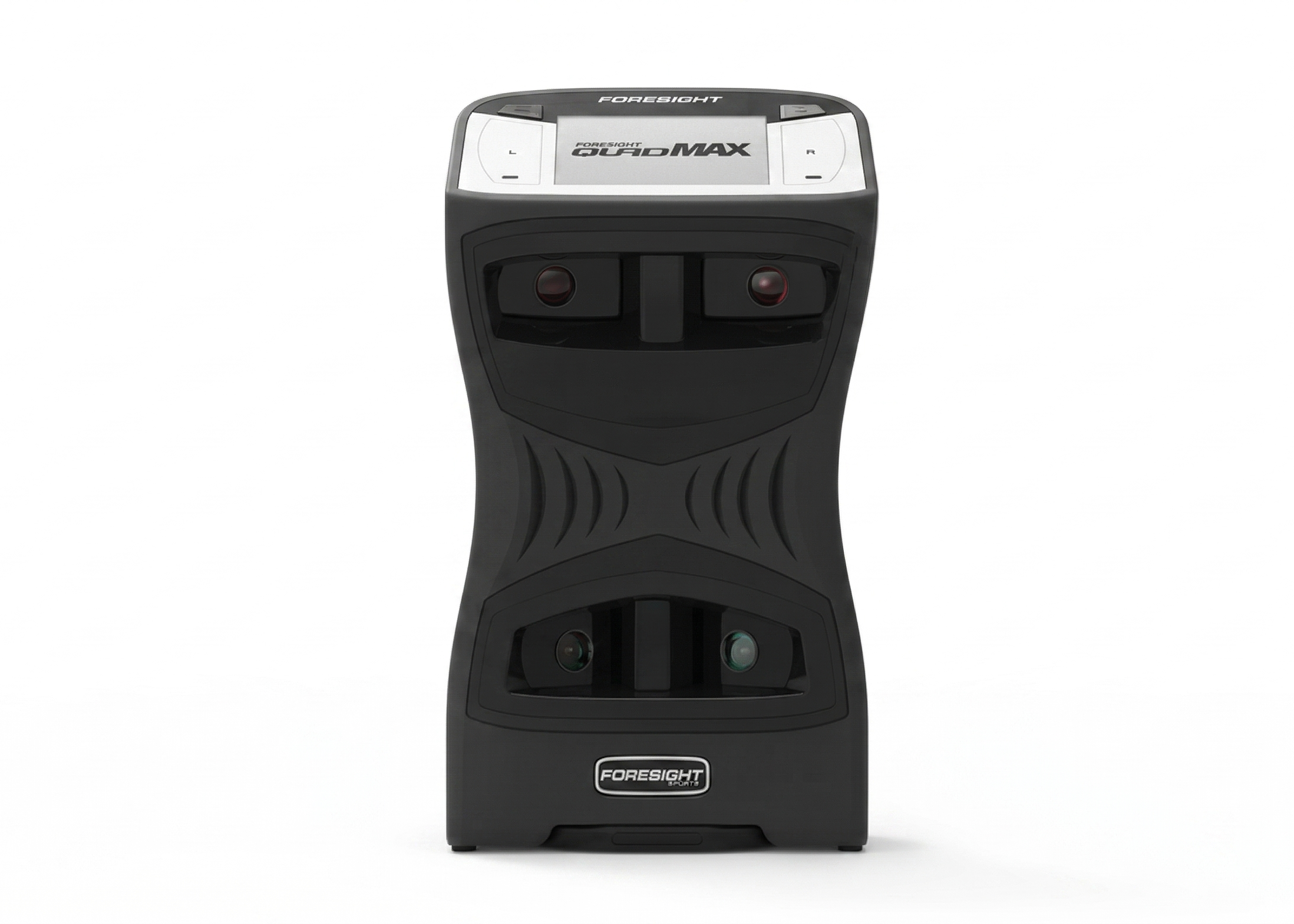

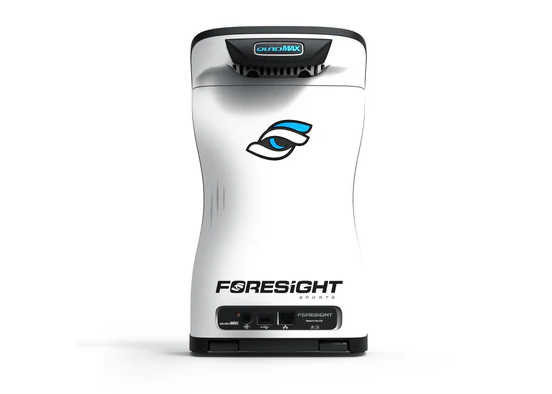

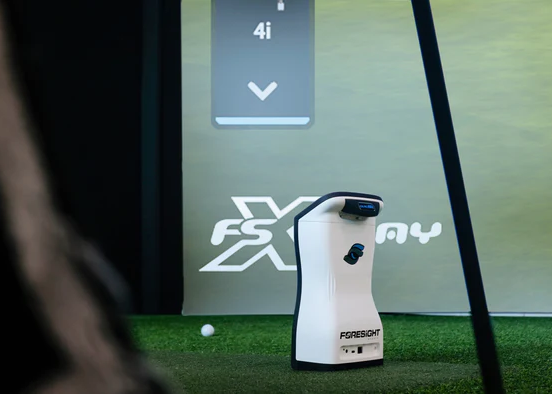
Foresight QuadMAX™: The Next Generation of Performance
The industry benchmark has been redefined. Built on the foundation of the legendary GCQuad, the all-new QuadMAX™ utilizes advanced four-camera photometric technology to deliver uncompromising accuracy. This compact, ruggedized powerhouse is the most feature-rich launch monitor ever produced, designed to meet the rigorous demands of elite players, professional fitters, and world-class coaches.
New & Exclusive Features
-
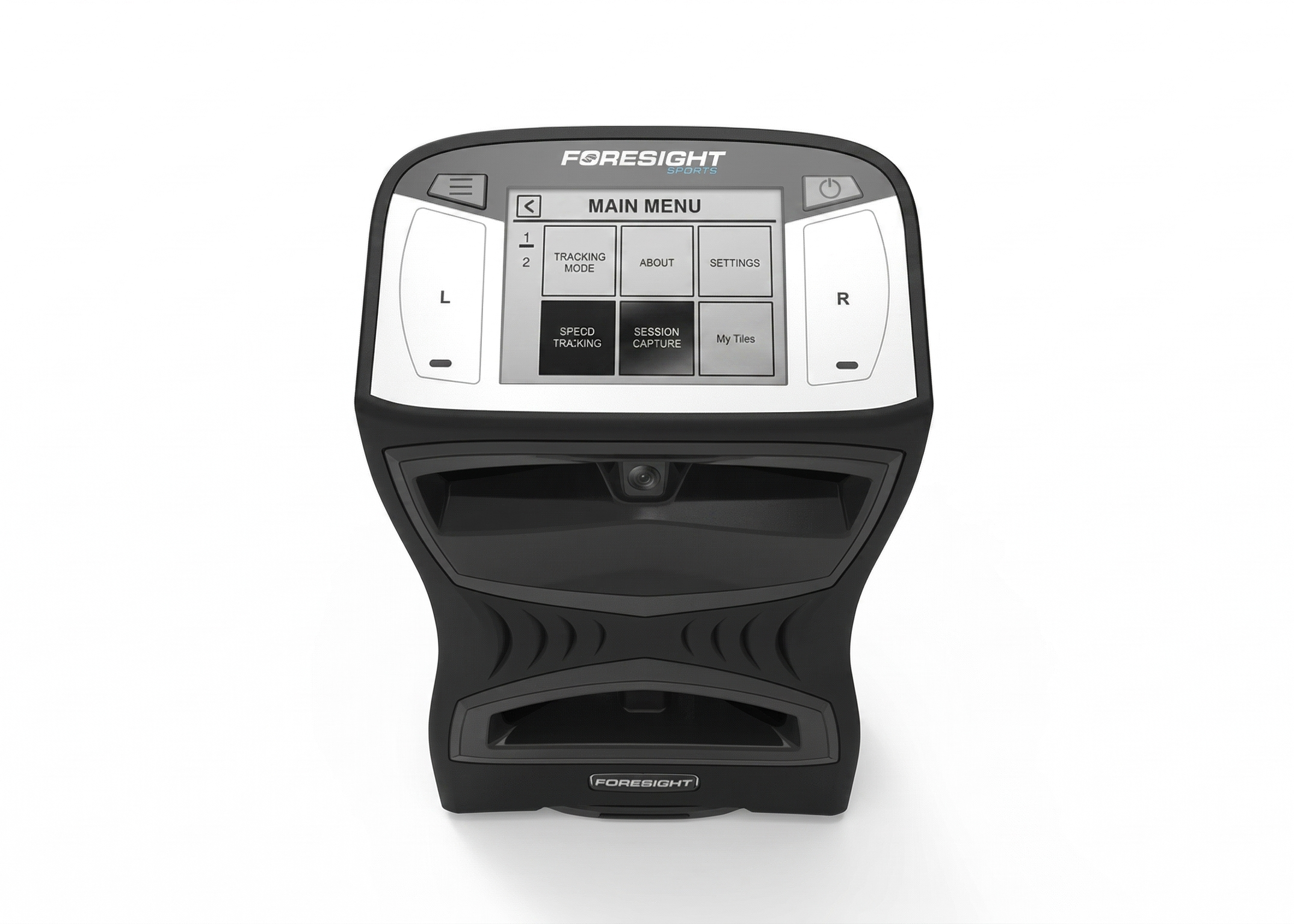
Touchscreen Interface: Navigate settings and data effortlessly with an all-new, intuitive touchscreen display.
-
Speed Training Mode: Measure your swing speed without the need for ball impact. This works with speed training aids or any club in your bag (marker required).
-
MyTiles Customization: Personalize your view by prioritizing the specific data parameters that matter most to your practice session.
-
Internal Shot Storage: Capture and store up to two billion shots on the internal memory for later offload and in-depth analysis.
-
Rugged & Lightweight: Magnesium internals have reduced the unit's weight by 15%, while a 15% larger battery ensures you have power for the longest sessions.
-
Enhanced Portability: Features a new ergonomic handle for easier transport between the studio and the range.
- NFC (Near Field Communication)

Comprehensive Data Measurements
The QuadMAX measures a massive suite of parameters directly at impact, ensuring tour-level precision.
Ball Data:
-
Ball Speed & Launch Angle
-
Side Angle & Spin Axis
-
Total Spin & Carry
-
New: Ball Apex, Descent Angle, and Offline from Target
Club Data (Markers Required):
-
Club Head Speed & Smash Factor
-
Club Path & Angle of Attack
-
Face Angle & Impact Location
-
Loft/Lie at Impact & Closure Rate
The QuadMAX Performance Bundle
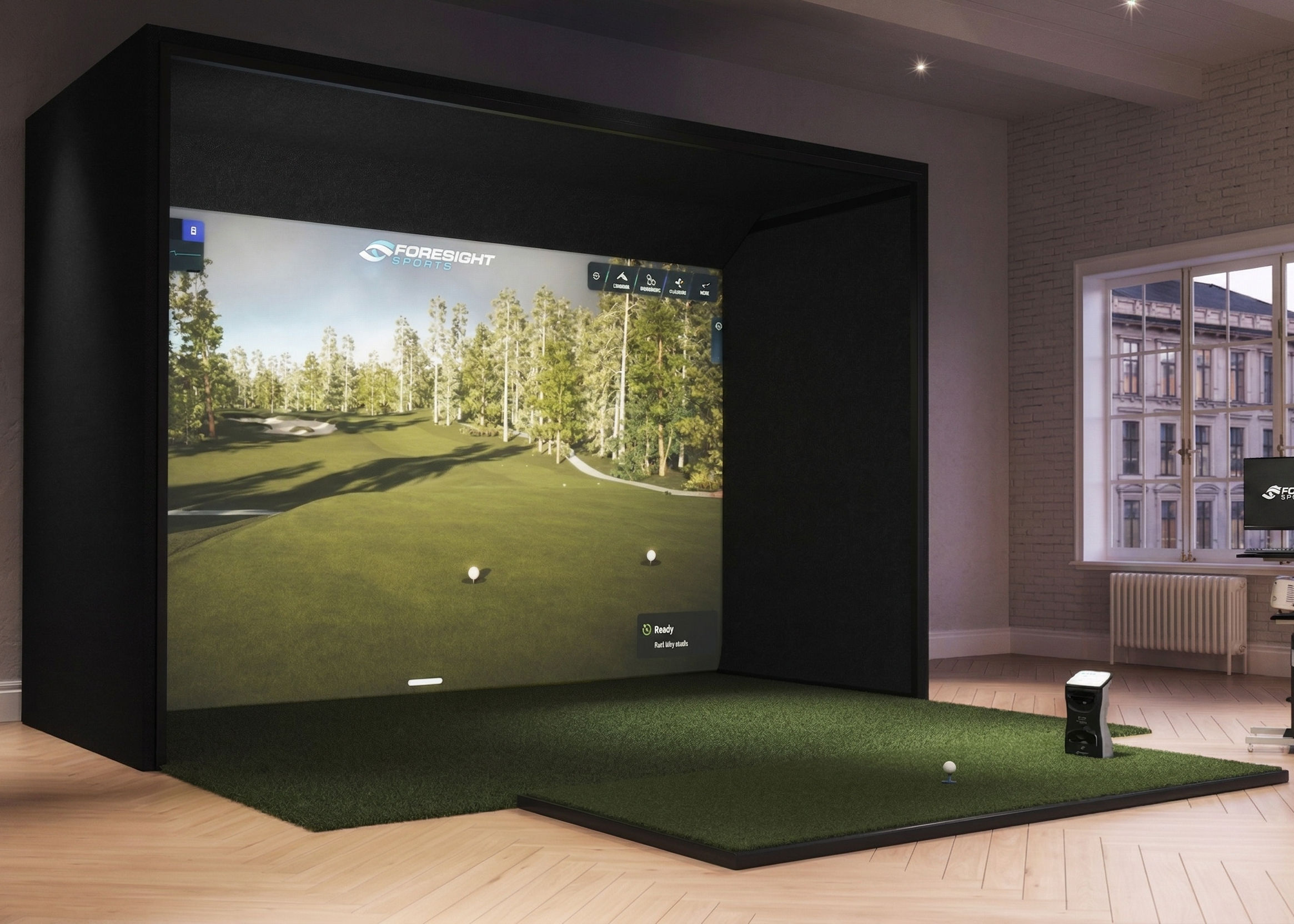
Your purchase includes everything needed for a world-class simulation and analysis environment:
-
QuadMAX Launch Monitor: The ultimate photometric powerhouse.
-
Software Suite: Full access to FSX Play, FSX Pro, and FSX 2020.
-
Course Library: Includes 25 world-class golf courses.
-
Gaming Suite: Fairgrounds for all-ages entertainment.
-
Essential Putting Analysis: Professional-grade insight into your short game.
-
Bonus Rangefinder: A FREE Bushnell Pro X3+LINK (shipped separately). This LINK-enabled device syncs with your MyBag™ data to provide "Plays Like" distances and club dispersion overlays.
Technical Specifications
| Feature | Specification |
| Monitor Type | Ground-Based Portable |
| Technology | Quadrascopic (4-Camera) Photometric |
| Display | High-Resolution Touchscreen with MyTiles |
| Storage | Internal Memory (Up to 2 Billion Shots) |
| Weight | ~15% lighter than previous models |
| Battery Life | Enhanced (15% larger capacity) |
| Connectivity | WiFi, Bluetooth, Ethernet, USB-C |
| Warranty | 2-Year Standard Warranty |
Unmatched accuracy. Unrivaled features. The new benchmark.
Launch Monitor Comparation Table
| Features | GCQuad | Falcon | QuadMax |
| Ball Data | |||
| Launch Angle | ✔ | ✔ | ✔ |
| Side Angle | ✔ | ✔ | ✔ |
| Ball Speed | ✔ | ✔ | ✔ |
| Total Spin | ✔ | ✔ | ✔ |
| Carry | ✔ | ✔ | ✔ |
| Side Spin/Spin Axis | ✔ | ✔ | ✔ |
| Club Data | |||
| Club Head Speed | ✔ | ✔ | ✔ |
| Smash Factor | ✔ | ✔ | ✔ |
| Club Path | ✔ | ✔ | ✔ |
| Angle of Attack | ✔ | ✔ | ✔ |
| Loft / Lie | ✔ | ✔ | ✔ |
| Face Angle | ✔ | ✔ | ✔ |
| Impact Location | ✔ | ✔ | ✔ |
| Closure Rate | ✔ | ✔ | ✔ |
| Technology / Specs | |||
| Monitor Type | Ground | Overhead | Ground |
| Indoor / Outdoor | Yes | If Fully Covered | Yes |
| Cameras | 4 (Quad) | 4 (Quad) | 4 (Quad) |
| Light Source | Infrared | Infrared | Infrared |
| Hitting Zone | 18" x 14" | 59" x 28" | 18" x 14" |
| Putting Analysis | Optional | — | Optional |
| Barometric Sensor | ✔ | ✔ | ✔ |
| Battery | Field Swappable | No | Field Swappable |
| Battery Life | 6-8 Hours | N/A | 7-9 Hours |
| WiFi / BT / Ethernet | ✔ | ✔ | ✔ |
| Connection Port | — | USB-C | USB-C |
| Warranty | 2-Year | 2-Year | 2-Year |
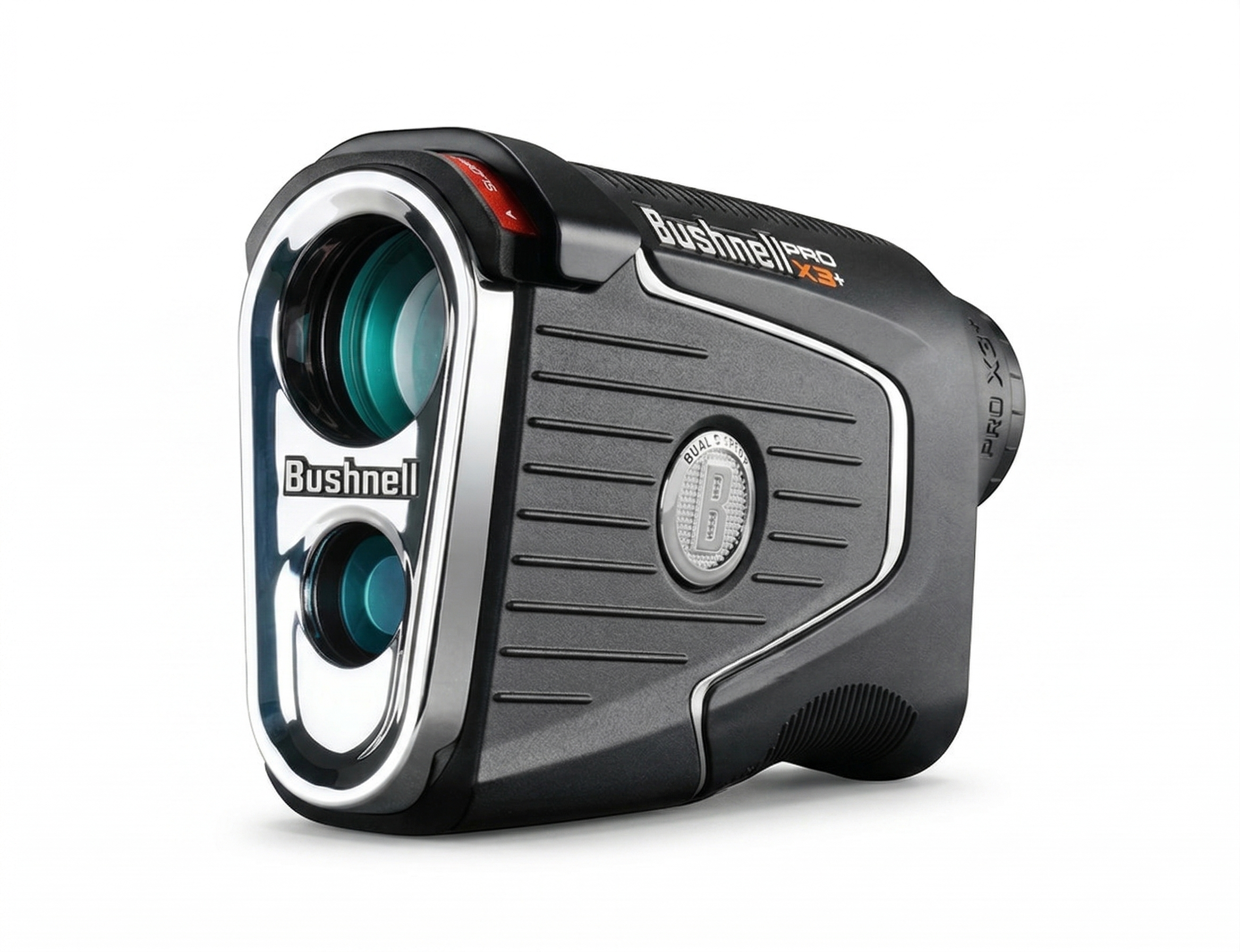
Exlusive Bonus
Bushnell Pro X3+LINK
Included with your MaxQuad purchase is a Pro X3+LINK laser rangefinder from Bushnell Golf, shipped separately to elevate your game on and off the course.
- LINK-Enabled Sync: Real-time, customized club recommendations based on your Foresight data.
- Smart Management: "Plays Like" distances synced with your MyBag™ profile and environment.
- Precision Insights: Overlays your personal dispersion patterns for better accuracy.
Note: Redemption instructions sent via email after purchase.
QuadMax Further Information
Shipping & Delivery Details
- Processing Time: 3-5 business days.
- Shipping Time: 3-5 business days via standard carrier.
- Signature Required: Due to the high value of this product, a signature is required upon delivery to ensure your order arrives safely.
- Total Estimated Arrival: 6-10 business days from the date of purchase.
- Clubhead Measurement
- Essential Putting Analysis
- FSX Play Software
- FSX 2020 Software
- 25 Golf Courses
- FSX Pro Performance Software
- Foresight Fairgrounds
- QuadMAX Carry Bag
- Power Adapter & Cable
- USB-C Cable
- Alignment Stick
- Club Markers
- 2-Year Warranty
- Technology: Quadrascopic High-Speed Camera System
- Dimensions: (H) 12.5” x (w) 7” x (d) 4”
- Weight: 6.3lbs / 2.86kg
- Battery: Removable Lithium-Ion Rechargeable
- Data Interface: USB Type C / WiFi / Ethernet
- Compatibility: Android, iOS
- Blue Bayou Golf and Fishing Club
- Broken Tree Golf Course
- Linfield National Golf Club
- Teton Pines Golf Course
- Willow Crest Golf Club
- The Farms Golf Club
- Beaver Hills Country Club
- Tall Pines
- Butterfield Country Club (Red/Blue)
- Kinsale Golf and Fitness Club
- Awbrey Glen Golf Course (FSX Play Only)
- Barren Boulders Executive (FSX Play Only)
- Black Rock Golf Course (FSX Play Only)
- Detroit Country Club (FSX Play Only)
- Glen Flora Country Club (FSX Play Only)
- Greencastle Golf Club (FSX Play Only)
- Meadowbrook Country Club (FSX Play Only)
- Mill Creek Golf Club (FSX Play Only)
- Potter's Park Golf Course (FSX Play Only)
- Prairie Bluff Golf Club (FSX Play Only)
- Sunnyside Golf & Country Club (FSX Play Only)
- The Bedens Brook Club (FSX Play Only)
- Twin Run Golf Course (FSX Play Only)
- Wellington National Golf Club (FSX Play Only)
- Tropical Paradise Executive (FSX Play Only)
Getting Started & Setup
What’s the proper way to set up the QuadMAX for use?
Place the device upright on a level surface approximately 22 inches away from your hitting area. If you are using a hitting mat, ensure the device is raised to the same level as the mat's surface. A kickstand is available at the bottom for extra stability on uneven ground.
How do I turn the QuadMAX on and off?
- To power on: Press and release the power button. A start-up screen will appear (showing battery life, serial number, and firmware), taking about 30 seconds. The LED indicator will blink once it’s ready.
- To power off: Press and release the power button again. The shutdown sequence will begin, and the screen/LED will turn off.
Registration & Usage
What is required for device registration, and what happens if I miss it?
Your QuadMAX requires an online registration renewal every 45 days. If this registration expires, all data channels (USB, Ethernet, WiFi, and BLE) from the device to software applications will be blocked. The QuadMAX will still work as a stand-alone device, displaying data on its own screen.
How do I renew the 45-day registration?
You can confirm renewal by:
- Connecting the QuadMAX to Foresight Sports software applications (FSX Play, FSX 2020, or FSX Pro) on a computer with internet access. Renewal happens automatically upon connection, regardless of whether it has already expired.
- Connecting the QuadMAX directly to an internet source (e.g., a router) using an Ethernet cable. This process typically takes 45-60 seconds.
My QuadMAX isn't working in my new location. Is it region-locked?
Yes, the QuadMAX is region-locked and will only operate in the specific region it was purchased for. You can check your unlocked region on the About > Features screen. If you need to change your registered region, please contact your sales team member.
Features & Customization
How can I customize the data display on my QuadMAX?
Use the MyTiles feature. You must pair your QuadMAX with the Foresight App on your smartphone to create up to 3 custom screen presets (showing 1-6 data points each) and then "push" that preset to the device as the active display.
How do I save data from a practice session to review later?
Use the Session Capture mode (Menu > Session Capture > Start New Session). The device will show a [rec] icon when it's actively recording. You can end the session by returning to the menu or powering off the device. The QuadMAX can store up to 5 sessions, which you can retrieve and review via the Foresight App (retrieved sessions are permanently removed from the device).
What is Speed Training mode, and do I need a ball?
Speed Training (Menu > Speed Training > Start) puts the device in a state where it's only looking for clubhead speed and will display that single data point on screen. It does not require a golf ball and will time out after 5 minutes of inactivity. For best results, place a marker in the middle of your hitting zone to swing over.
How do I set my target line?
You don't need to access a menu! Just lay the provided Foresight Sports alignment stick down in the ball find zone, aligning it with your downrange target. The QuadMAX will chime, and the LEDs will blink, indicating it has adjusted the target line (up to 10°). You can reset this to the default on-screen (Menu > Target Align > Reset) or by powering off the device.
Ball & Club Tracking
What do the different LED indicator colors mean?
The solid LED indicator color shows which mode is active when the ball is ready:
- BLUE: Ball Only Tracking Enabled
- GREEN: Ball & Club Tracking Enabled (Requires optional club module purchase)
- PURPLE: Putting Mode Enabled (Requires optional putting module purchase)
- AMBER: Swing Speed Training Mode
How do I know if the ball is correctly placed in the hitting zone?
The QuadMAX display has an on-screen placement aid. When a ball is detected:
- LED Blinks Slowly: No ball detected in the hitting zone (displays previous shot data).
- LED Blinks Rapidly: The ball is out of the hitting zone OR too many balls are detected in the zone.
- LED Remains Solid: The ball is correctly placed, and the device is Ready for the shot.
Where should I place club markers for tracking club data?
Club tracking requires markers to be applied to the clubface using the provided dispenser. For optimal results:
- Single Marker: Place the marker high on the clubface and as close to the horizontal center as possible.
- Four Markers: Detailed instructions for placing four markers for irons are included in the manual, ensuring correct placement relative to score lines and the hitting center.
Connecting & Maintenance
What are the best methods to connect my QuadMAX?
- For FSX Gaming Environment (PC): Ethernet or USB (USB is required for firmware updates). WiFi is also appropriate.
- For Foresight App (Smartphone/Tablet): Bluetooth is the preferred connection. WiFi is also an appropriate option.
- Note: Bluetooth will not connect the QuadMAX to a computer for FSX gaming.
How do I properly care for my QuadMAX battery?
The life of your battery depends on a regular cycle of full discharges and recharges. You should fully discharge and recharge the QuadMAX battery at least once a month. This applies whether the device is in storage or operating on continuous AC power.
How should I store my QuadMAX when not in use?
Prior to storing, always make sure the device is powered off and the battery is removed. Foresight Sports strongly recommends storing the QuadMAX in a cool, dry environment, preferably in its original foam-lined packaging or a specialized carrying case to prevent damage.
- Available to U.S. customers only. All products will be shipped and sold only to U.S. credit card bearers and U.S. addresses.
- After placing an order, you may cancel your order within 24 hours at no charge and you will receive a full refund of the purchase price. There are no refunds on orders cancelled after 24 hours; and you will be charged a cancellation fee of $250, that will be deducted from the purchase price, and a credit will remain on your account for the remaining balance of the purchase price that you may use on a later purchase.
- Tax and freight not included in MSRP shown.
Contact Us Directly:
sales@turnkeyprostudios.com
1-402-577-0167
Bundles
Complete Your Simulation Studio